Beautymakers.
From a product idea
to a manufacturing plan.
A B2B platform connecting beauty brands with manufacturers. As a founding designer, I structured manufacturing information and designed the path from discovery to quotes and consultation.
- ROLE
- Founding Product Designer
- PERIOD
- 2018.08–2023.04
- OWNERSHIP
- UX/UI · Product planning · Frontend
- PLATFORM
- PC · Tablet · Mobile
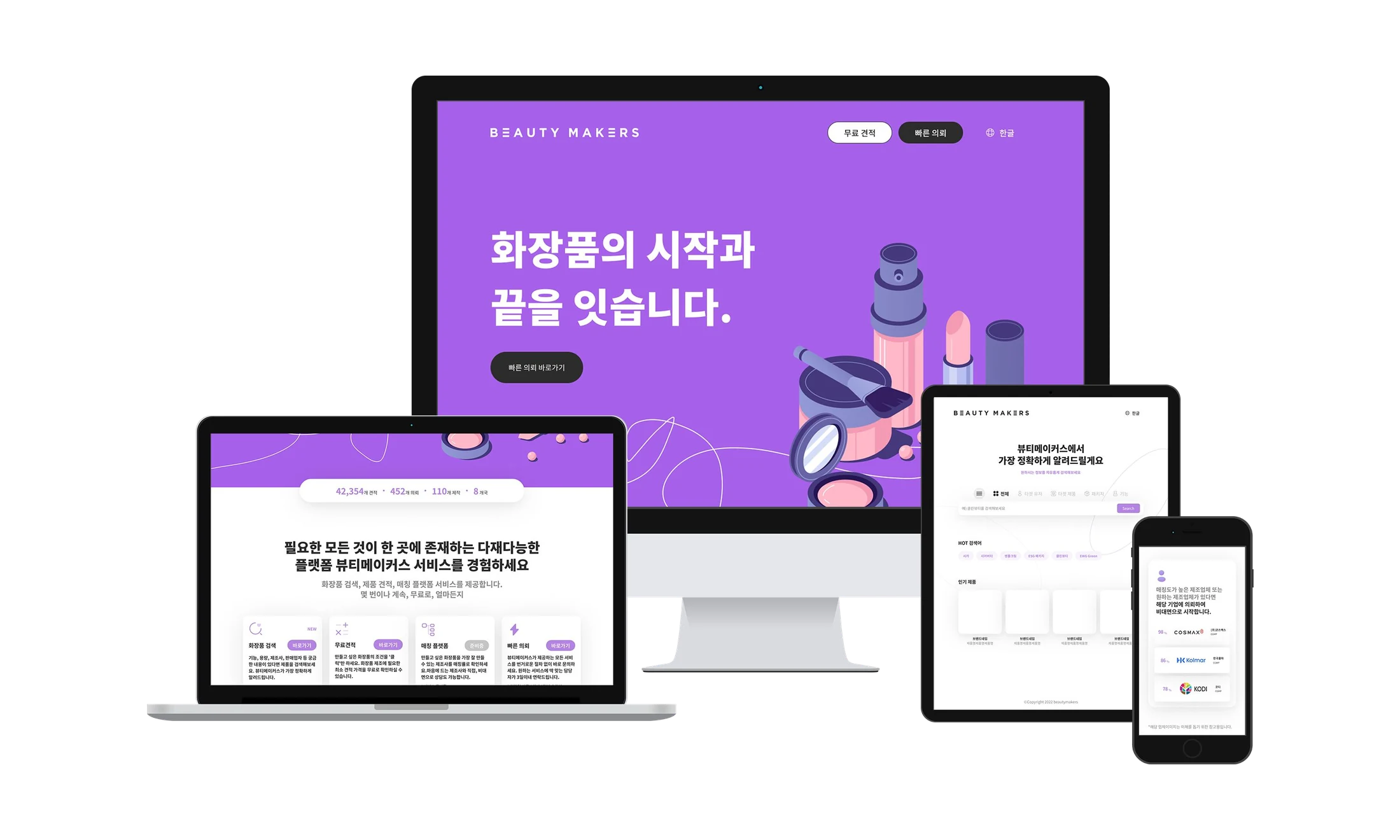
After removing the camera step and simplifying the flow
Brands struggled to find manufacturers. Manufacturers struggled to find suitable customers.
The original crowdfunding service faced limits in repeat purchasing and profitability. As remote manufacturing consultation became necessary, we focused on the information gaps and repetitive work involved in making cosmetics.
“We only need a small batch, but minimum quantities usually aren’t listed. We have to contact them again.”
Comparing suppliers required separate calls, often leaving only a few options to compare.
“Many brand requests don’t fit our conditions. It would help to see their requirements before connecting.”
There were few channels to share available capacity, while unsuitable inquiries still required time.
User and manufacturer feedback · Portfolio p.7
Crowdfunding
Discover and back finished products
LAB + Estimate
Product and manufacturer data, plus mobile quotes
B2B manufacturing
Compare requirements, then request a quote or consultation
A database and a quote feature still left users stuck.
We integrated around 6,000 products and 1,000 manufacturers in LAB and explored mobile quotes in Estimate. Interviews, inquiry emails, event logs, and work observations shaped the next iteration.
Information lacked comparable criteria
Repeated questions about missing minimum order quantities (MOQ) and certifications meant users still had to ask suppliers.
To search and filtering ↓Core work happened on larger screens
Operations teams and brand planners worked differently from the assumptions behind the mobile-first MVP.
To workspace decisions ↓Users dropped out at the camera step
The camera stage had a 42% session drop-off rate, identifying a barrier in the mobile quote flow.
To a simpler quote flow ↓UX GOALStart with what users know, help them assess fit, and connect that decision to an action.
Room to compare at work. Fewer steps to quote on mobile.
- OBSERVATION
- Operations teams and planners worked mainly on PCs
- DECISION
- Give desktop discovery and mobile quoting distinct roles
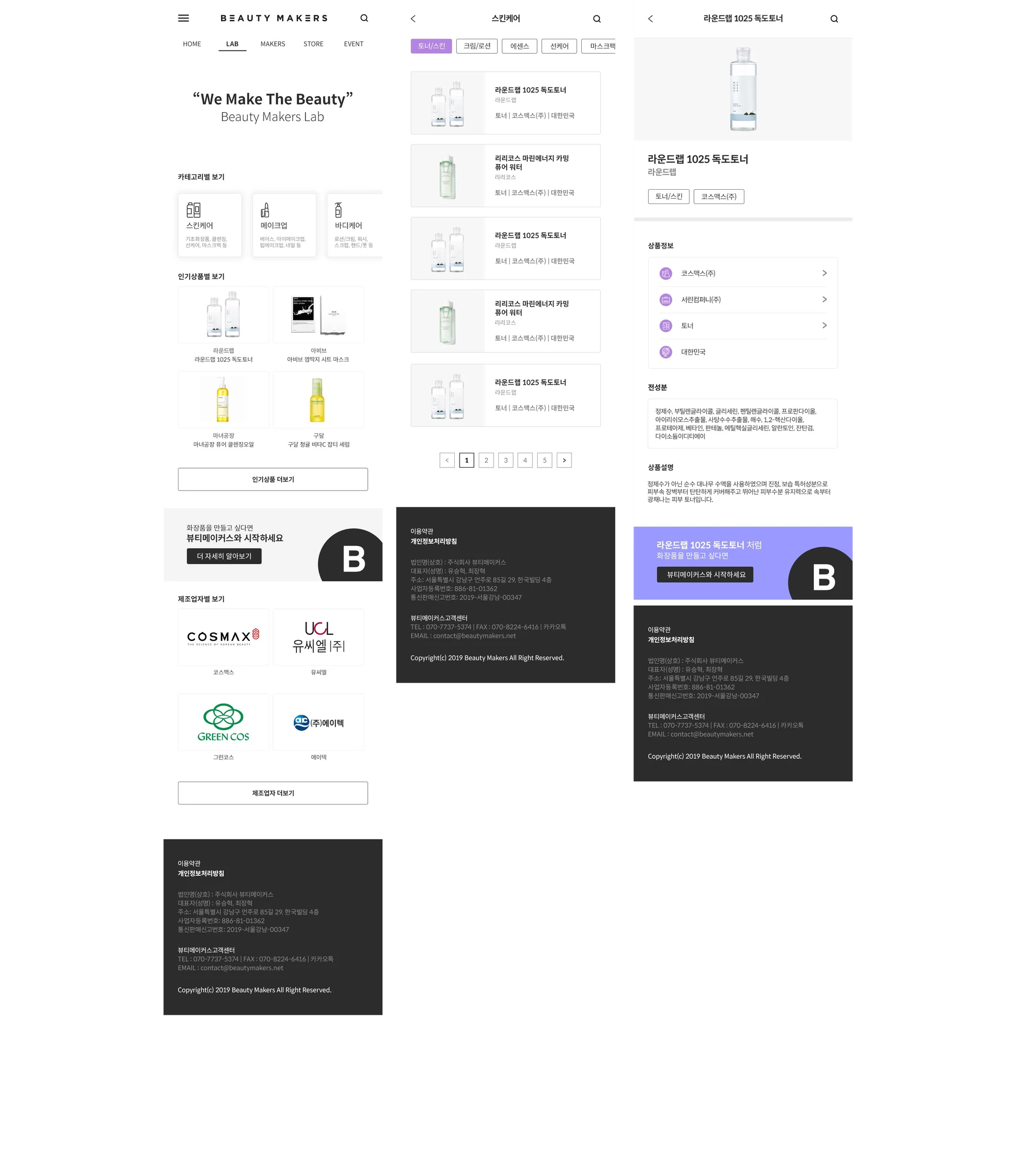
Mobile-first browsing
Users browsed products and manufacturers through category pages.
A workspace for search, lists, and details
Dense requirements and manufacturer information are organized for reading and comparison on PCs and tablets.
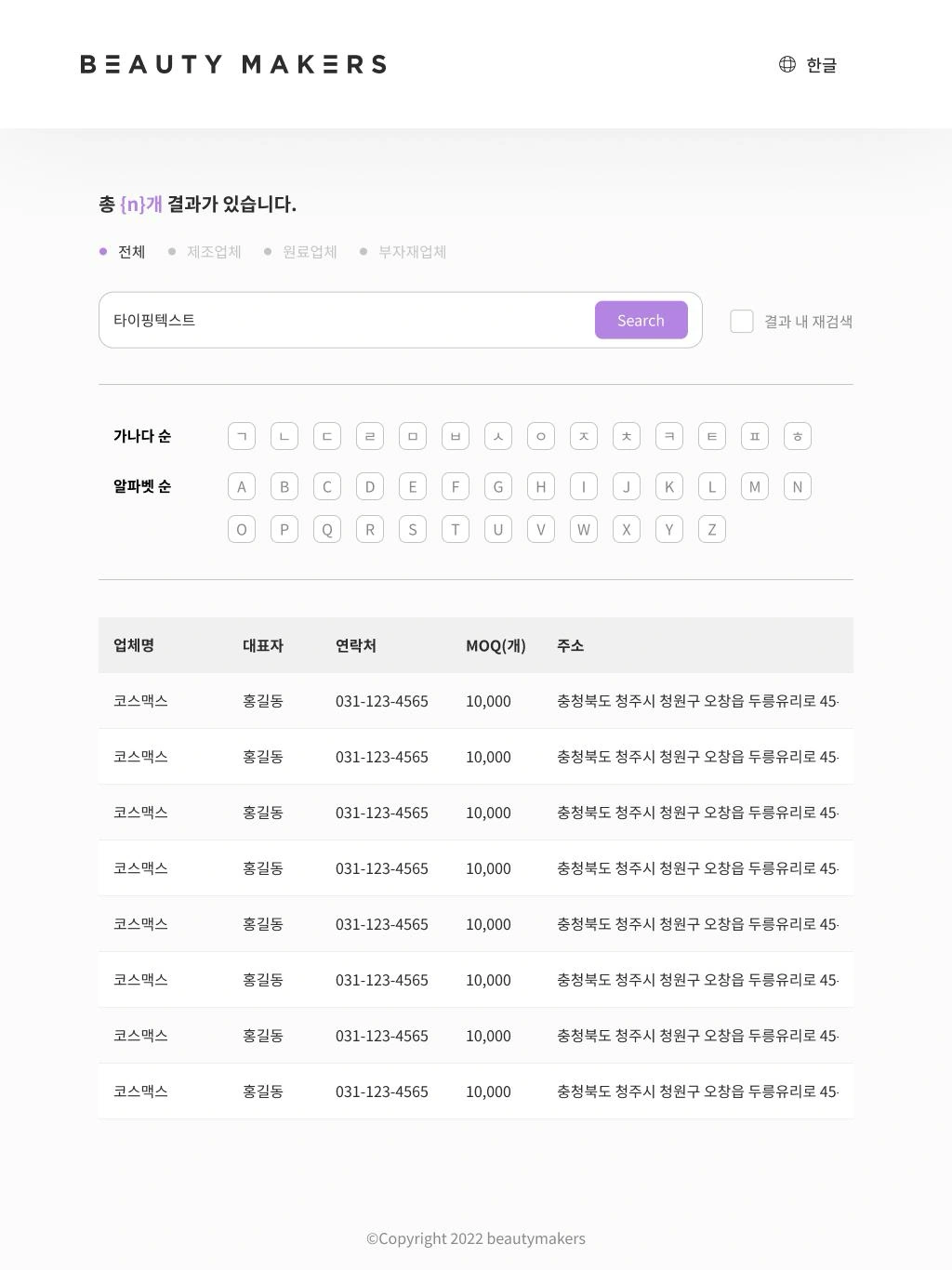
Operations teams and brand planners
I designed desktop and tablet search and detail structures around the work of reading and comparing manufacturers.
Influencers, solo founders, and new brands
Mobile quoting remained available. These users needed a direct path to choose requirements and review an estimate.
Search with known requirements, even without a product name.
- BEFORE
- Categories alone could not narrow manufacturing requirements
- DECISION
- Separate entry points for discovery from detailed comparison criteria
“Which category is it?”
Users entered through a product category, then searched for finer details themselves.
“Who is it for, and what should it do?”
Start with a keyword, audience, reference product, packaging, or function.
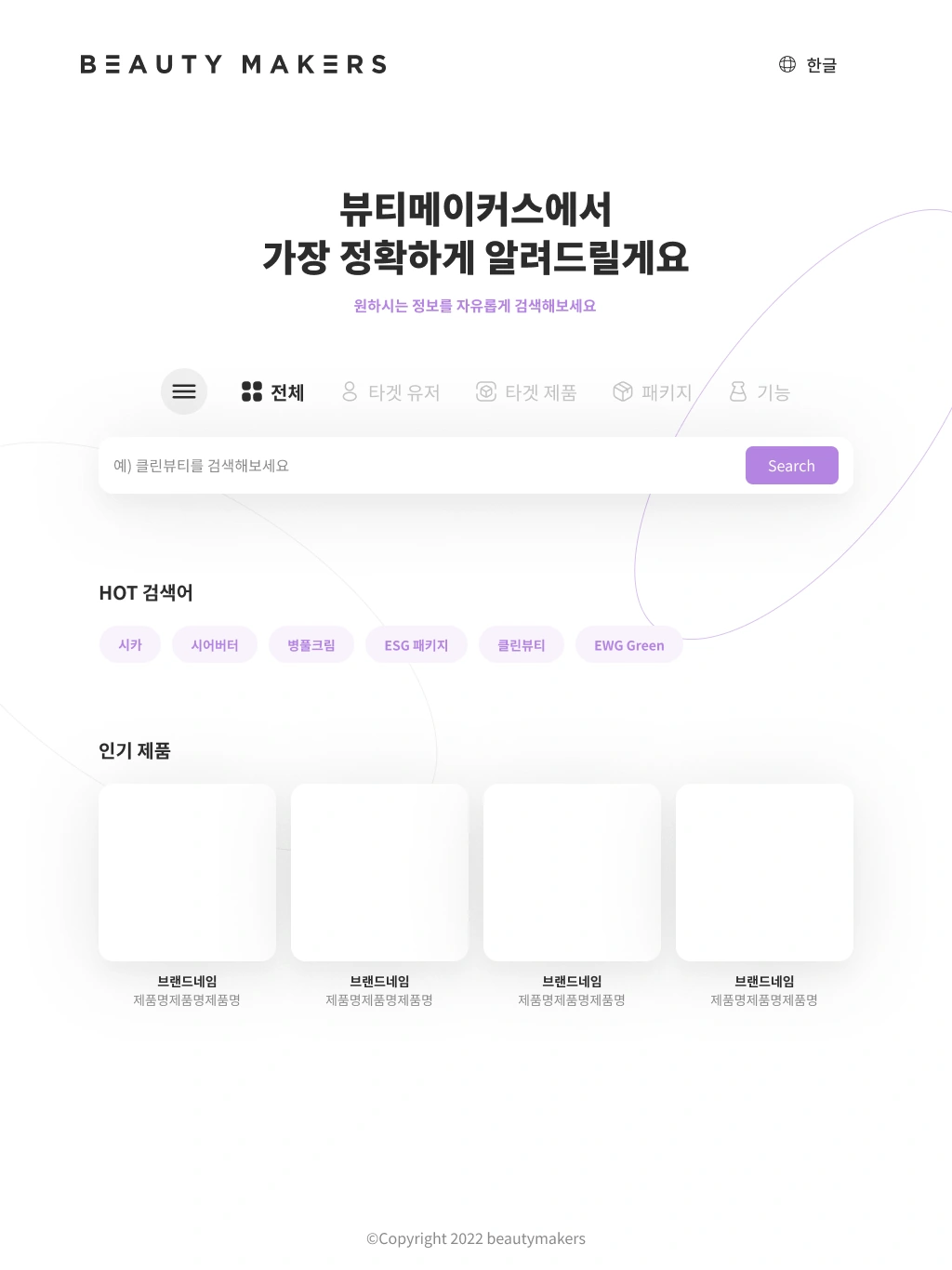
Explore the search entry points
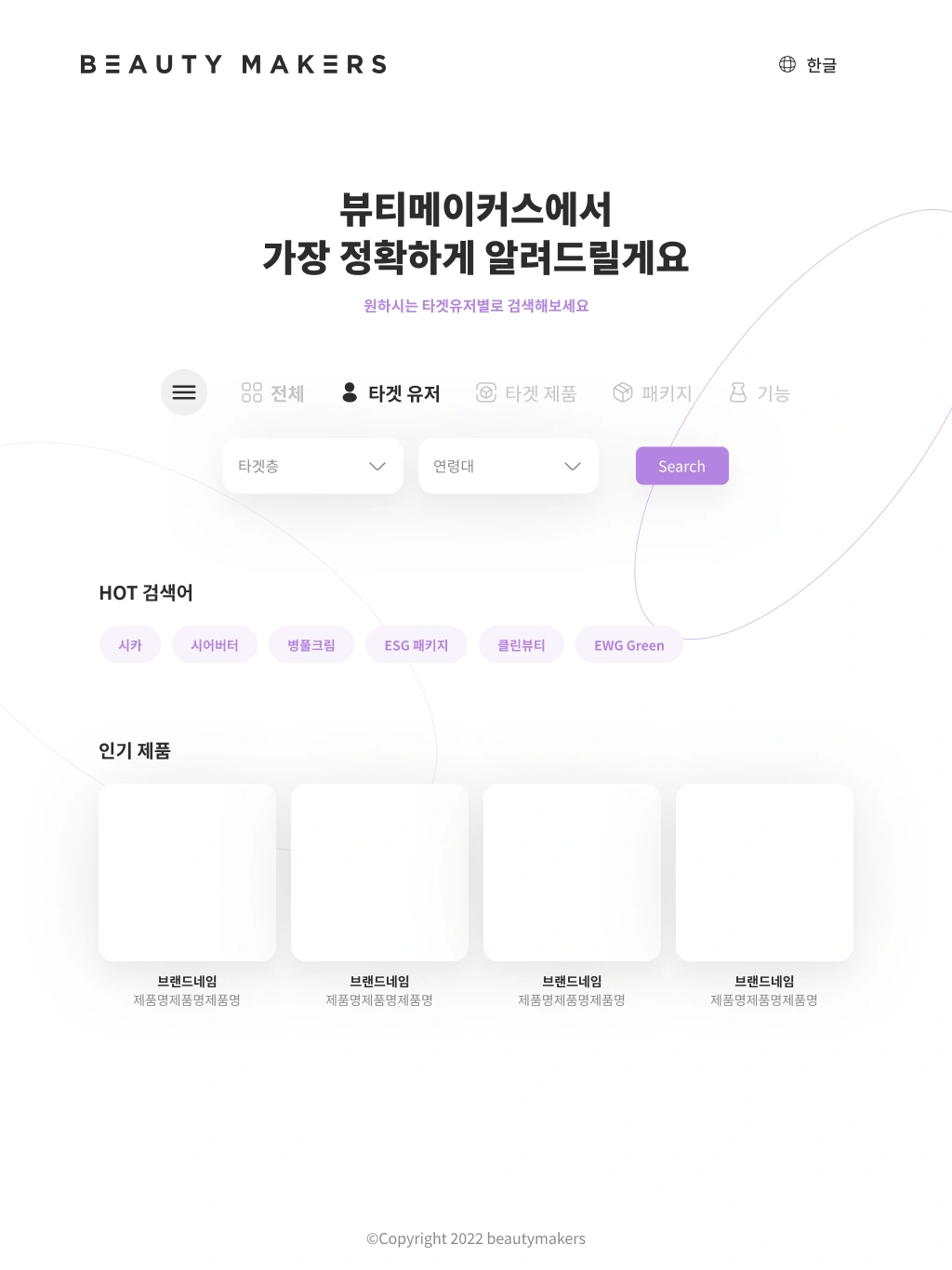
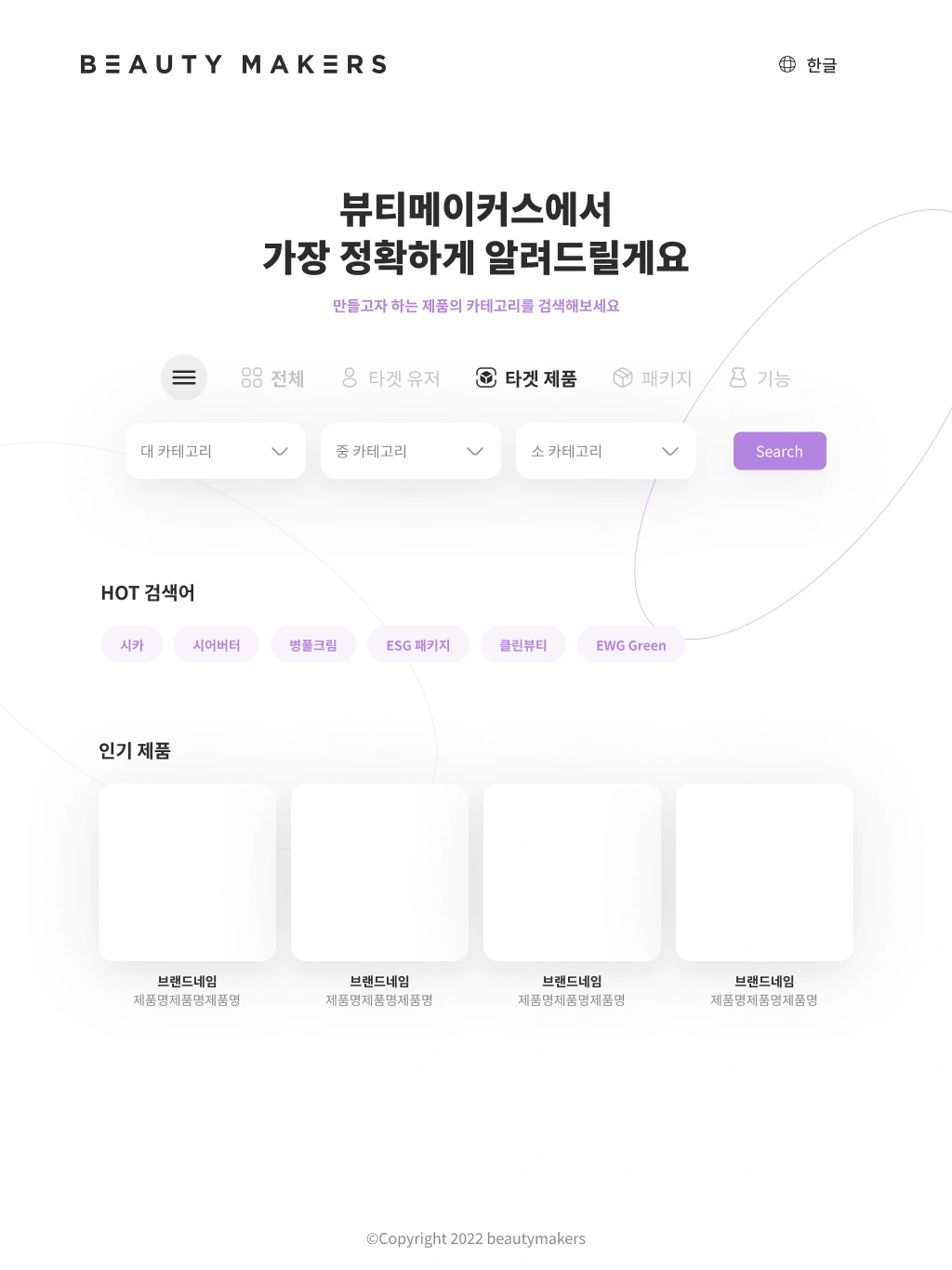
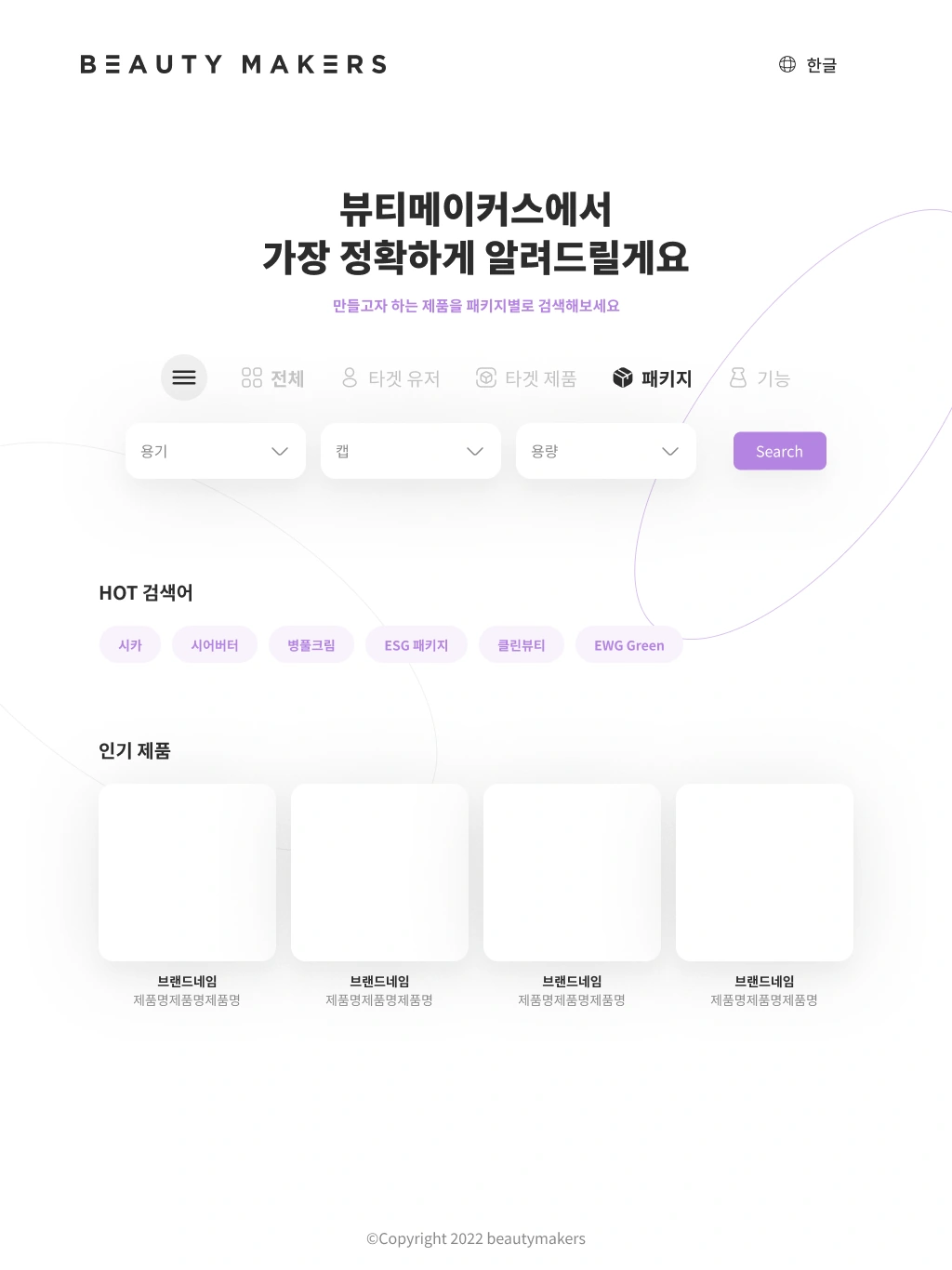
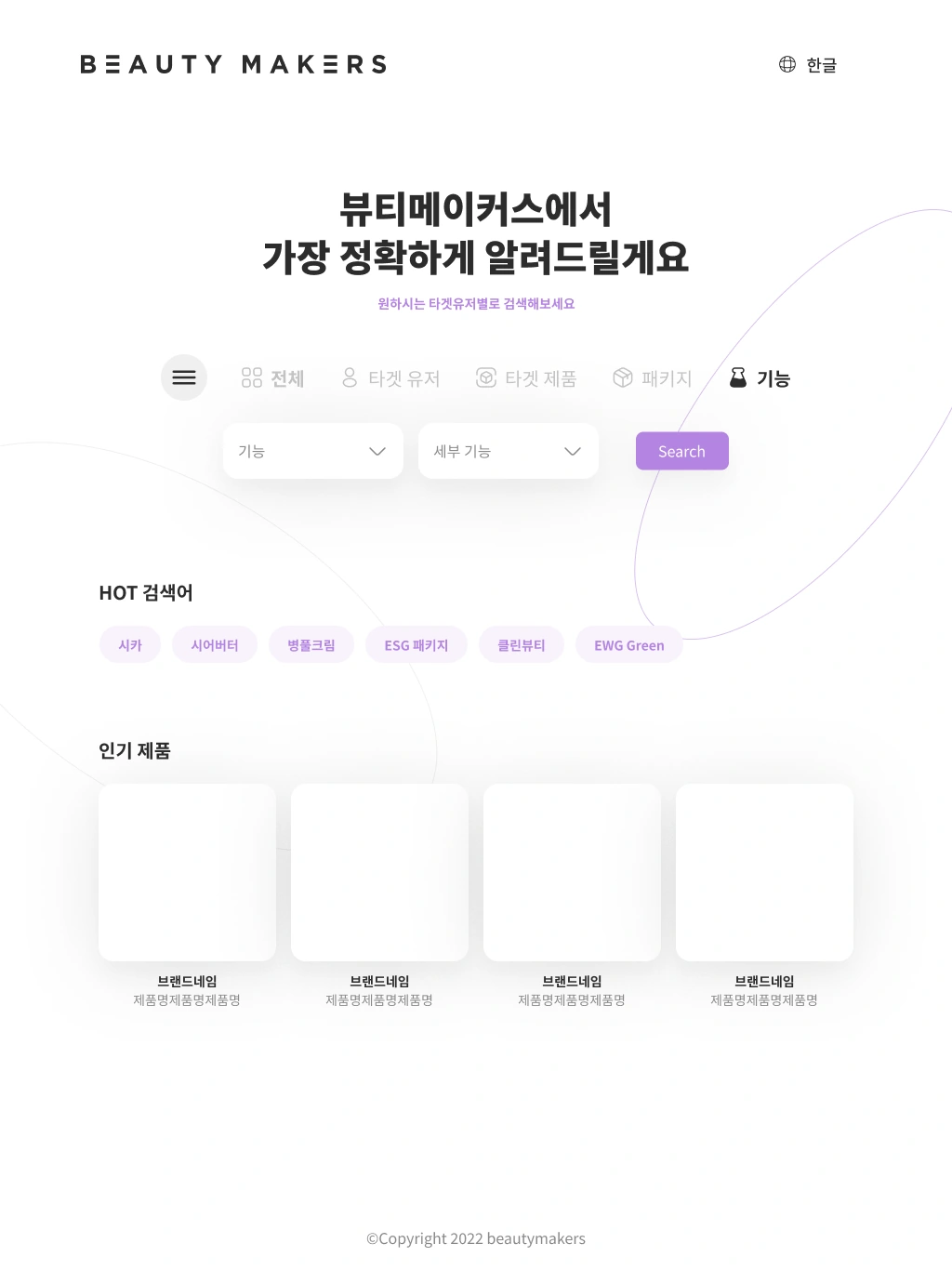
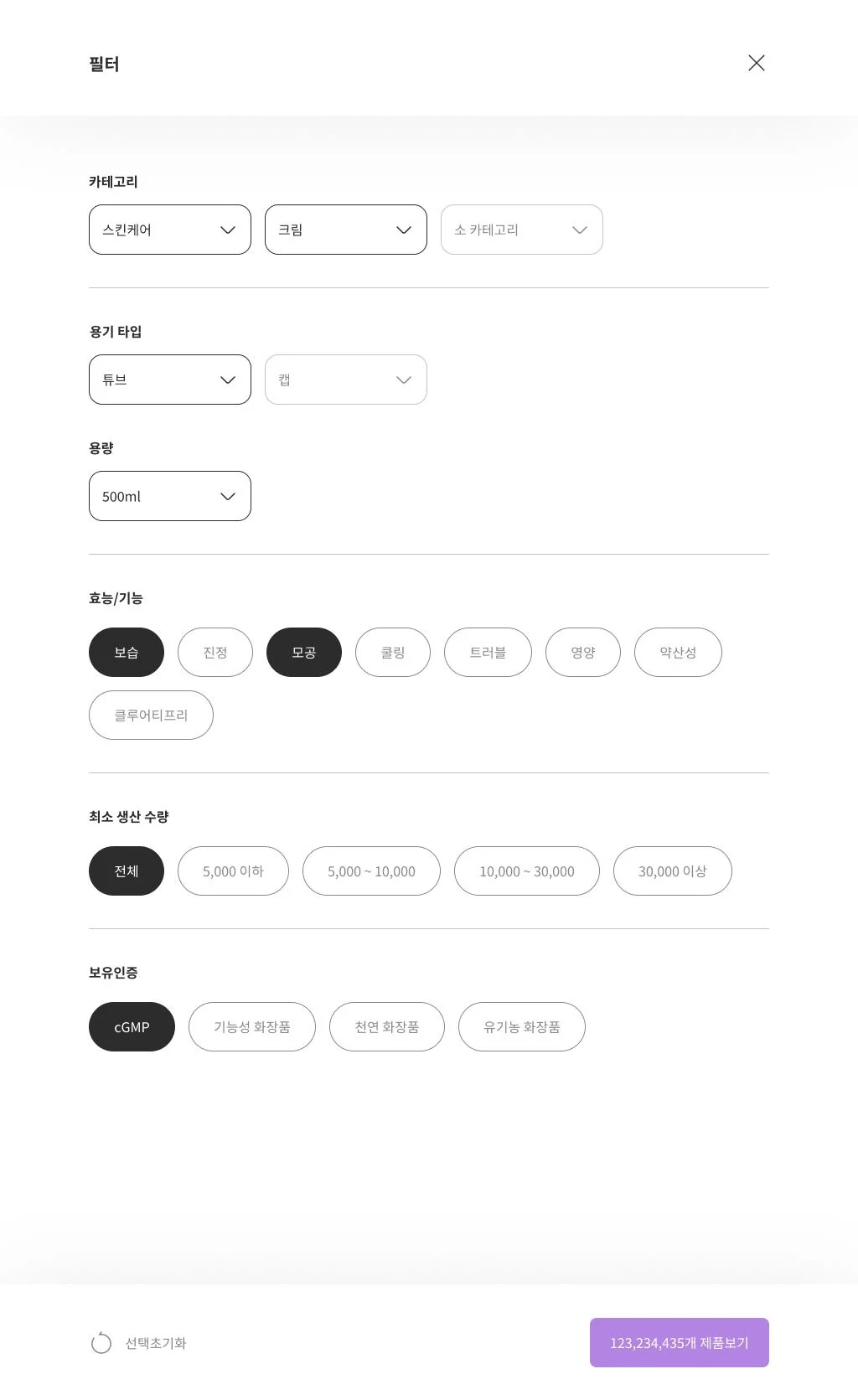
FROM INTENT TO SPECIFICATION
Turn intent into six comparable criteria.
Repeated questions about MOQ and certifications informed the filter. Product characteristics and manufacturing constraints became part of the same comparison.
- 01Category
- What product to make
- 02Container
- How it will be packaged
- 03Volume
- How much each unit holds
- 04Function
- What it needs to do
- 05MOQ
- The minimum production quantity
- 06Certification
- Whether required certifications are available
MY DESIGN CONTRIBUTIONI separated discovery entry points from detailed filters so an initial idea could become a specific set of requirements.
Connect a useful finding to the next inquiry.
- BEFORE
- Separate product and manufacturer information interrupted the next step
- DECISION
- Connect inquiry from detail pages and offer a direct consultation route
Browse product → find manufacturer information again → ask about requirements
Product detail → estimate · Manufacturer detail → requirements and inquiry
Keep inquiry close to the decision
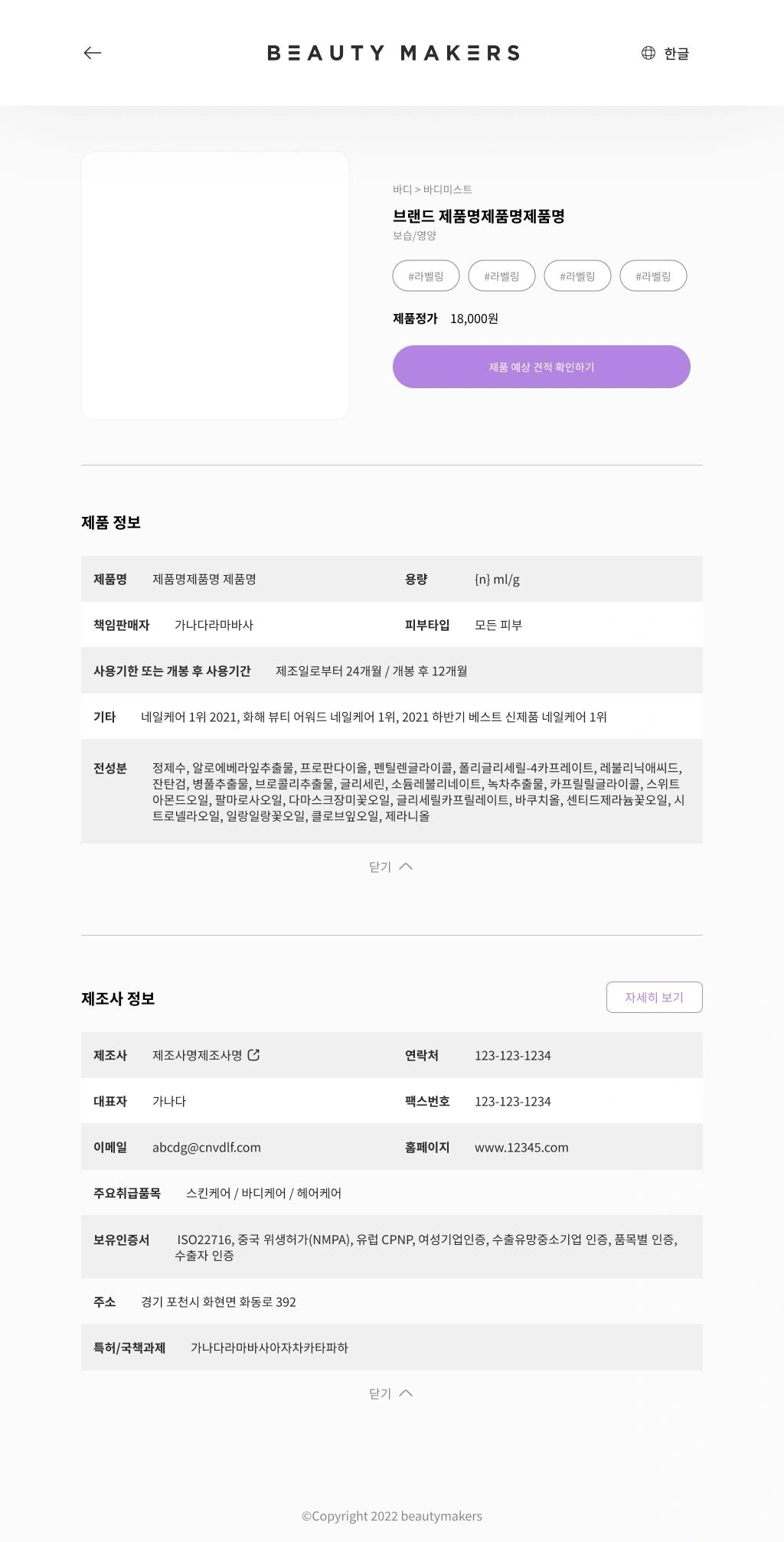
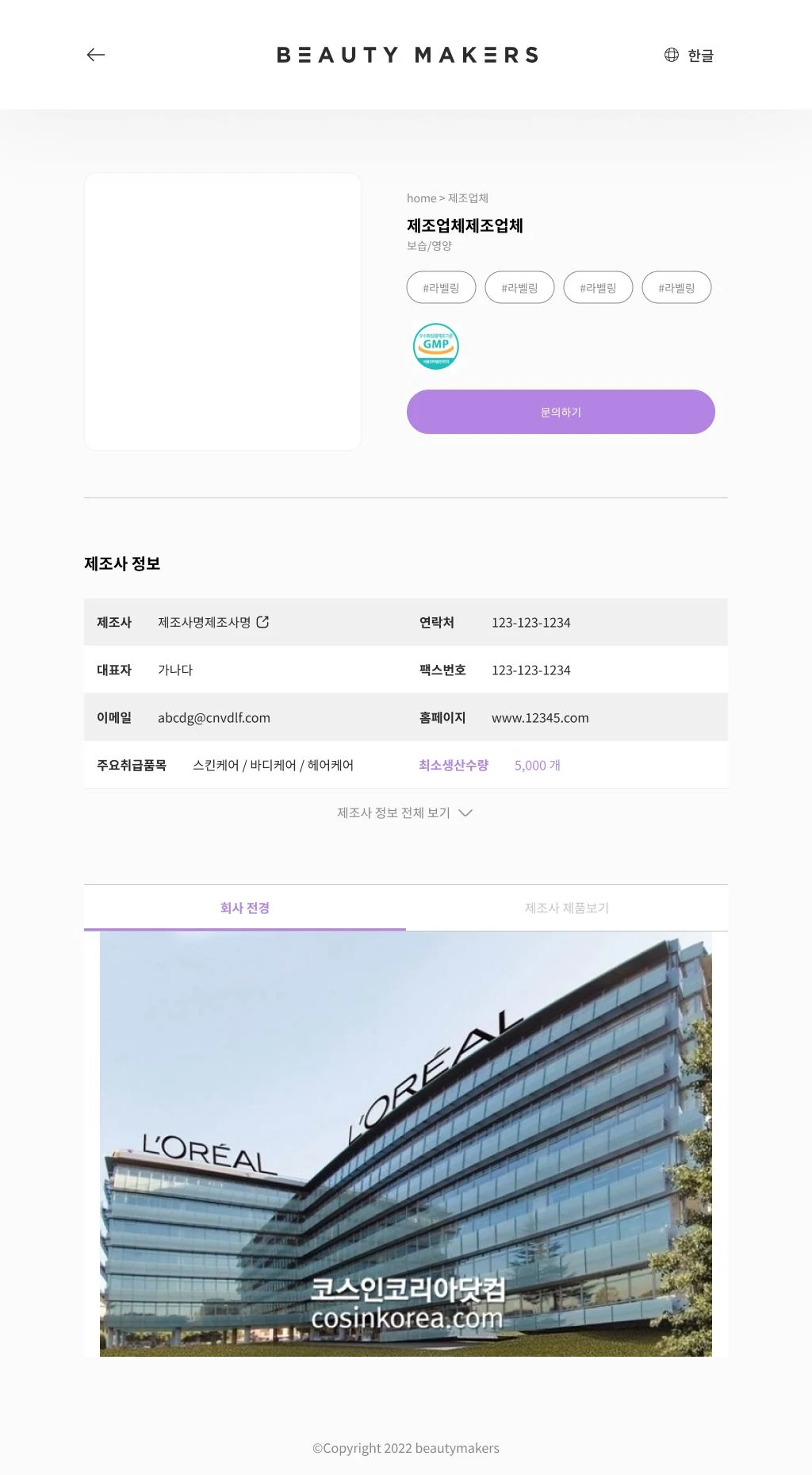
Product details lead to an estimate. Manufacturer details bring certifications, minimum quantities, and an inquiry button together, connecting information with an action.
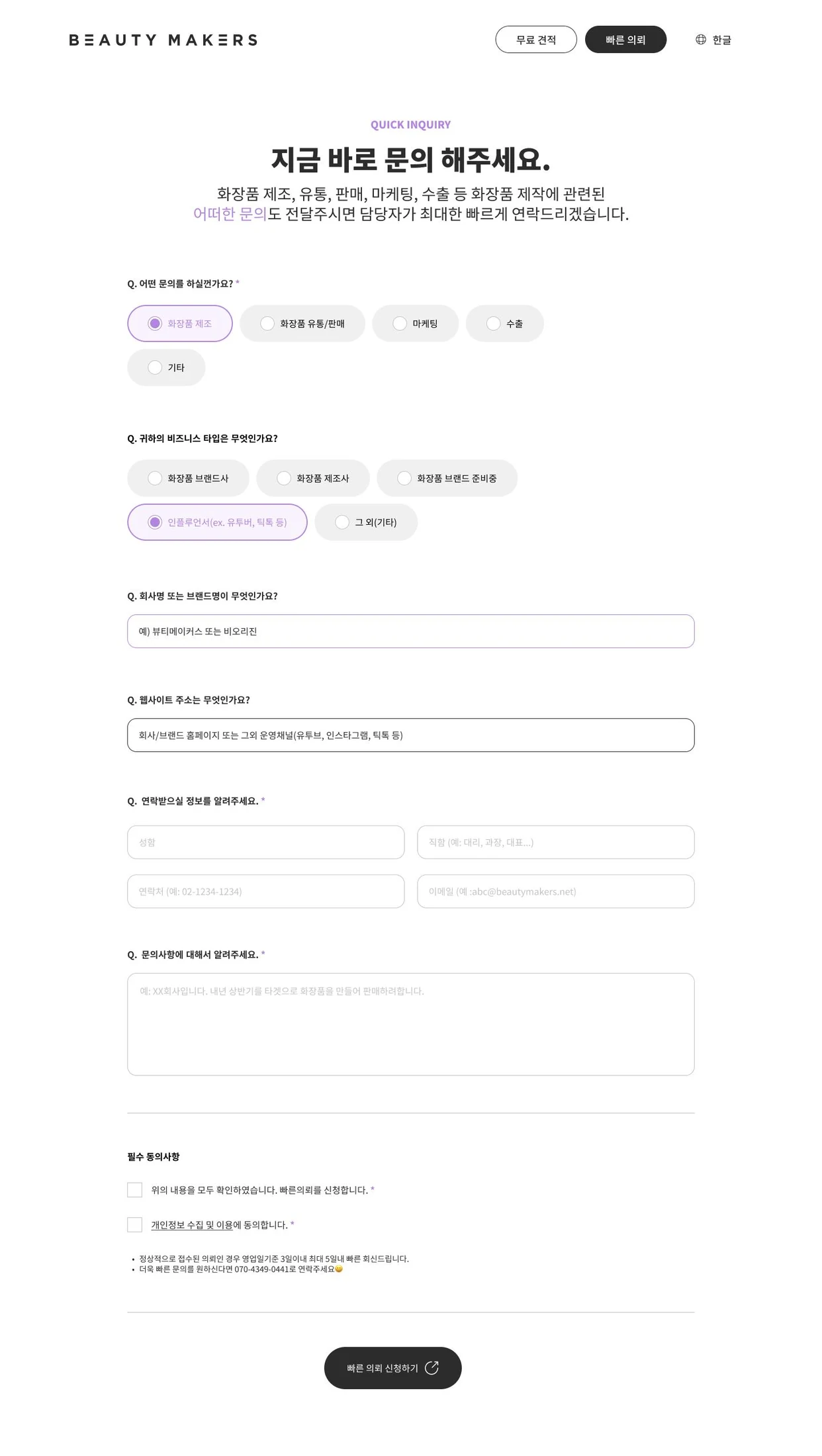
A separate entry for consultation first
Quick Inquiry serves users who want to speak to someone without going through search and quoting. Inquiry type, business type, contact details, and the request establish the consultation context.
View Quick Inquiry
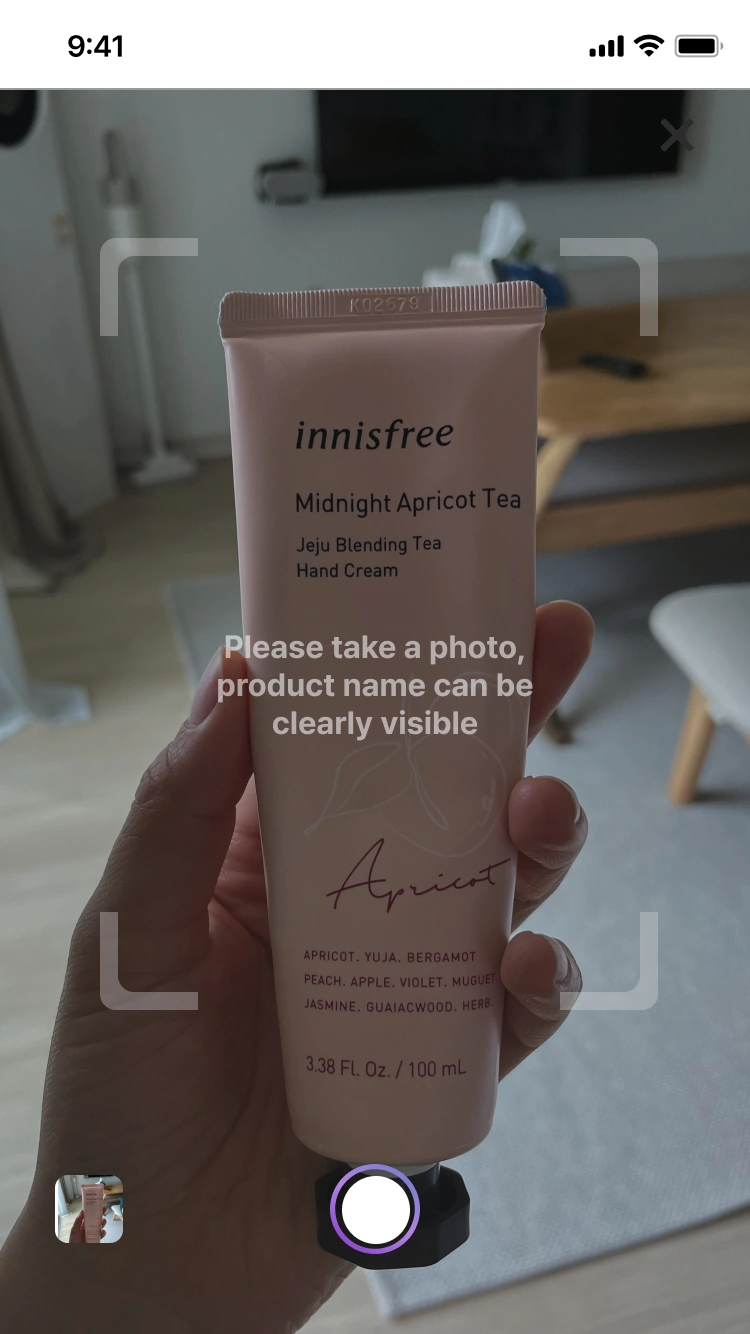
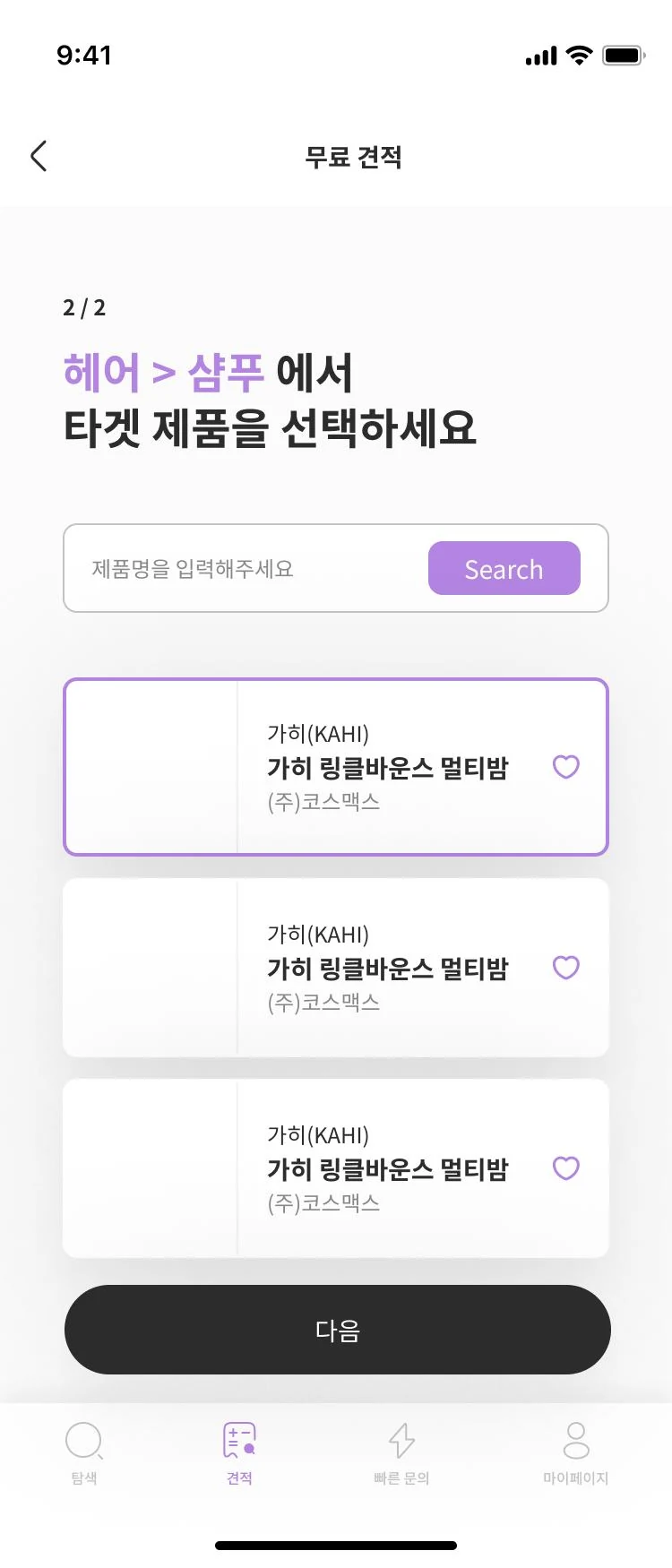
Getting a quote should not have to start with a photo.
- EVIDENCE
- 42% session drop-off at the camera stage
- DECISION
- Remove capture and recognition confirmation; prioritize search and selection
Take a photo, then confirm recognition
Users had to photograph a reference product and confirm its name before entering the next requirements.
Search and select a reference product
Choose a category and reference product, set container and volume, then review the estimate.
- Category
- Capture product
- Confirm recognition / name
- Add functions
- Volume / container
- Sign in
- Estimate
- Category
- Subcategory
- Select product
- Container / volume
- Sign in
- Estimate
Comparison uses the same endpoint: viewing the estimate. · Portfolio pp.9, 16
Higher quote-request completion
Reported after removing the camera feature and simplifying the flow.
Improvement reported in the portfolio, p.16MY DESIGN CONTRIBUTIONI retained the mobile entry point and focused the flow on the choices needed to complete a quote.
From organizing manufacturing information to supporting the work itself.
From the initial product through its pivot and operation, I used user evidence to set feature priorities and information structure. My work connected interface design, product planning, and web implementation.
Product direction
The platform evolved from crowdfunding to a desktop and tablet manufacturing tool with a mobile quote service.
Information structure
I extended the product and manufacturer database into a structure that supported comparison by intent and production requirements.
Task completion
The simplified mobile quote flow showed an approximately 34% increase in completion. Quick Inquiry offered an additional entry into consultation.
Start with what users know. Lead them to what they need to decide.
The service closed as business conditions changed. The experience taught me to revise assumptions through user feedback and structure an unfamiliar domain around real work. That became a foundation for designing other complex B2B products.