WEARABLE / RUNNING / PRODUCT DESIGN
CLOMP.
Easy to use. Quick to record.CLOMP, for a healthier run.
A thigh-worn muscle oxygen sensor and personalized running app. I planned Stand-alone mode for running without a phone, designing the experience from the device’s physical controls to post-run data synchronization.
- OWNERSHIP
- Scenario planning · UX/UI design
- SCOPE
- Device controls · State feedback · Data transfer
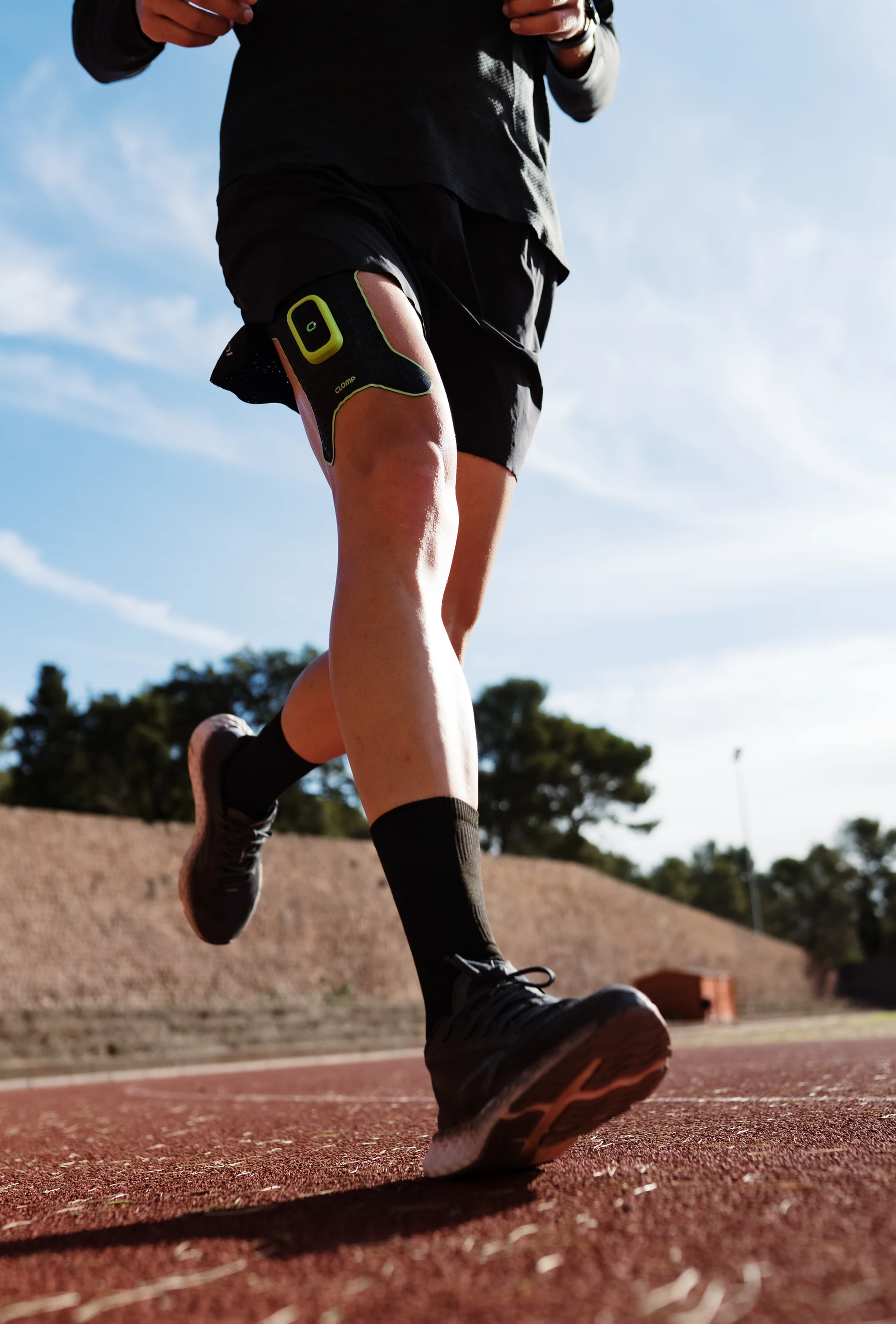
Running without a phone meant rethinking the measurement experience.
Previously, measuring with CLOMP meant carrying a phone while running. I moved in-run controls to the device and placed record selection and management in the app after the run.
- 01 / BEFORE THE RUN
Prepare in the app
Set Stand-alone mode and review the controls and sync guidance.
- 02 / DURING THE RUN
Measure with the device
Start and stop with the button and record the run without carrying a phone.
- 03 / AFTER THE RUN
Bring the records to the app
Select stored sessions, synchronize the data, and review the results.
A button and an LED to make measurement states clear.
- CONTEXT
- No phone screen to check during a run
- DECISION
- Connect button input, calibration, and measurement states
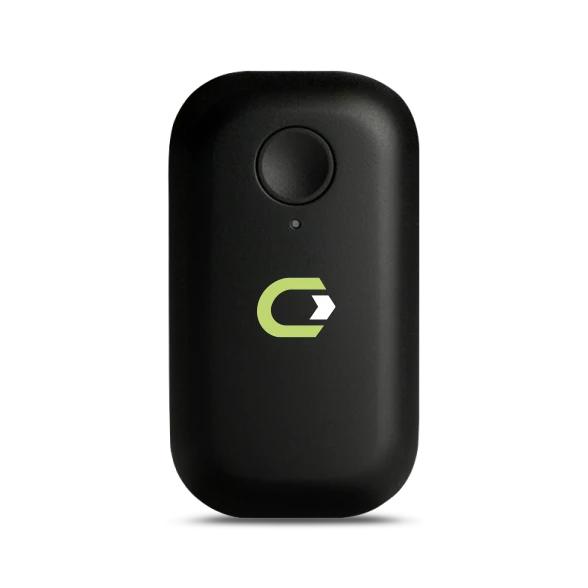
Select a state to see the LED response.
- 01
Double-click to start. Double-click to stop.
A double-click of the power button starts or stops a session, so measurement can be controlled without reaching for the app.
- 02
Stay still for the first 10 seconds.
The introduction explains the signal calibration at the start of each session. It distinguishes the button press from readiness to run and tells the user to stay still.
- 03
Separate ready and recording states.
The device-state specification distinguishes connection, calibration, readiness, and recording through both color and steady or blinking light.
View the device-state specification
Color and light behavior distinguish four device states.
- Blue · Steady
Connected
The device is connected to the app.
- Blue · Blinking
Calibrating
Signal calibration before measurement. Stay still for 10 seconds.
- Magenta · Steady
Ready
Stand-alone mode is ready to start a measurement.
- Magenta · Blinking
Recording
Measuring and saving the session on the device.
Show the records first. Transfer the selected data next.
- CONSTRAINT
- Reading all measurement data takes time
- DECISION
- Separate the record list from the full data transfer
If every session is downloaded before the list appears, the user has to wait before even choosing a record. I designed a flow that retrieves the list first and transfers only the selected sessions.
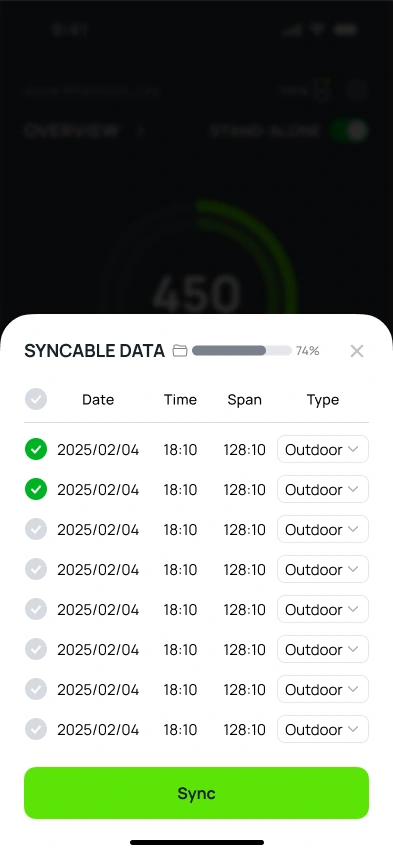
Review the date, time, duration, and type before selecting sessions.
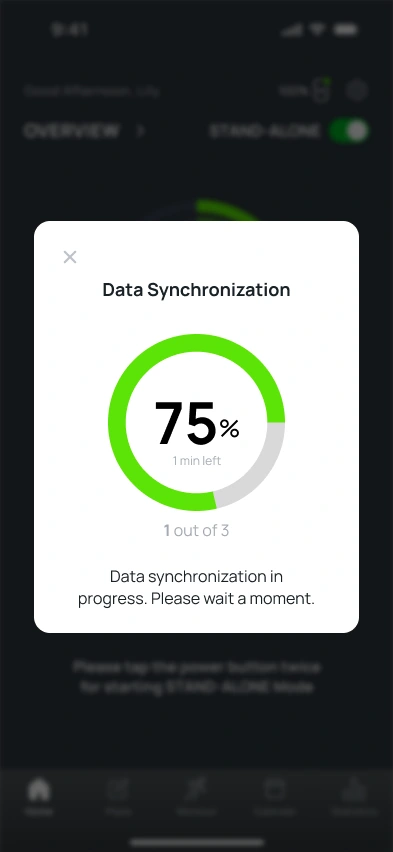
Show progress, remaining time, and how many records are being processed.

Connect the transferred data to a result that can be revisited through the calendar.
DESIGN DECISIONSeparating browsing from transfer lets the user decide what to bring into the app before committing to the wait.
How are synchronized records distinguished?
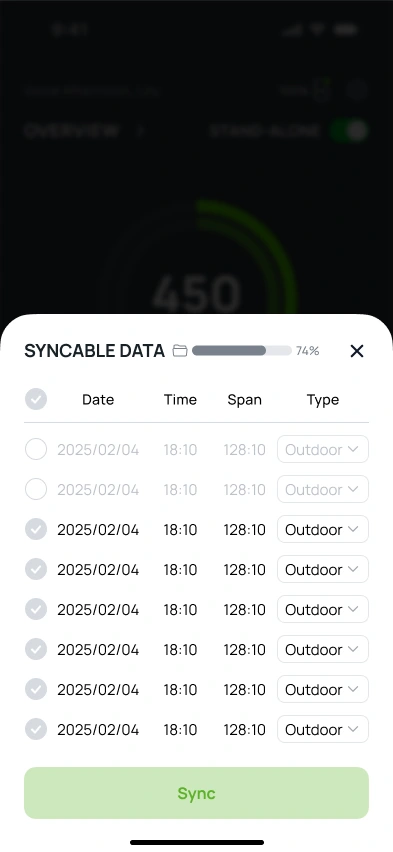
Keep the record visible, without selecting it again.
Synchronized records remain visible, with further selection disabled. Deleting device memory and transferring data to the app are treated as separate states.
The measurement ends. The work of keeping the record continues.
- CONTEXT
- Missing time · Limited storage · Short sessions
- DECISION
- Explain both the current state and the next action
When the timestamp is missing
A device restart can remove the reference used to calculate the time. I exposed the missing information and guided users to enter the date and time in the result.

When leaving the mode deletes records
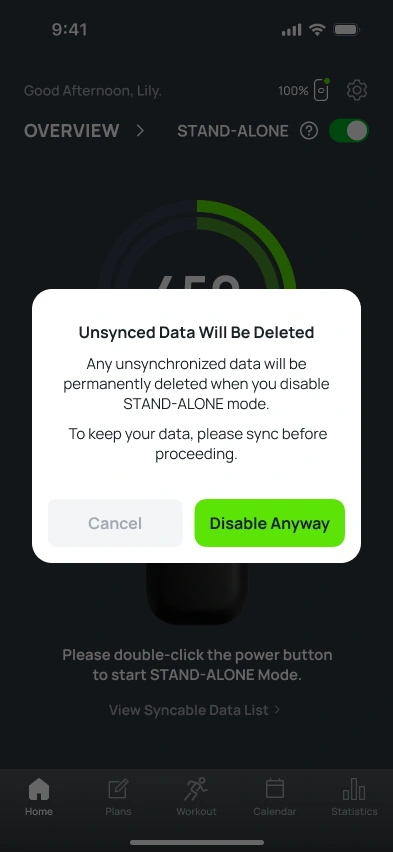
Storage and synchronization are separate states. Low-storage guidance leads to syncing before leaving the mode; the exit warning makes the loss of unsynced records explicit.
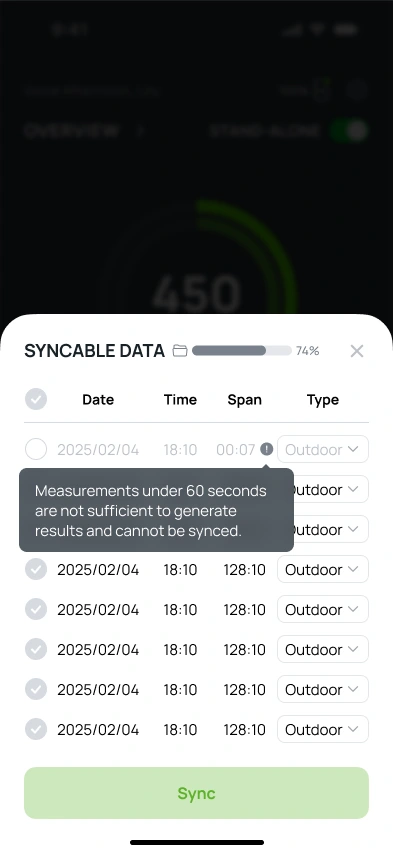
When a session is too short for a result
For records shorter than 60 seconds, the list explains why synchronization is unavailable. A disabled item still communicates its state and the reason behind it.
I also defined which message takes priority.
Low-battery warnings take precedence over synchronization prompts and the mode introduction, putting the device condition that needs attention first.
From a device worn on the body to an app used for every run.
Make today’s workout clear before it starts.
- BEFORE
- Video and a week-by-week training plan
- AFTER
- Surface the environment, duration, intensity, and suggested pace
Video and weekly plans
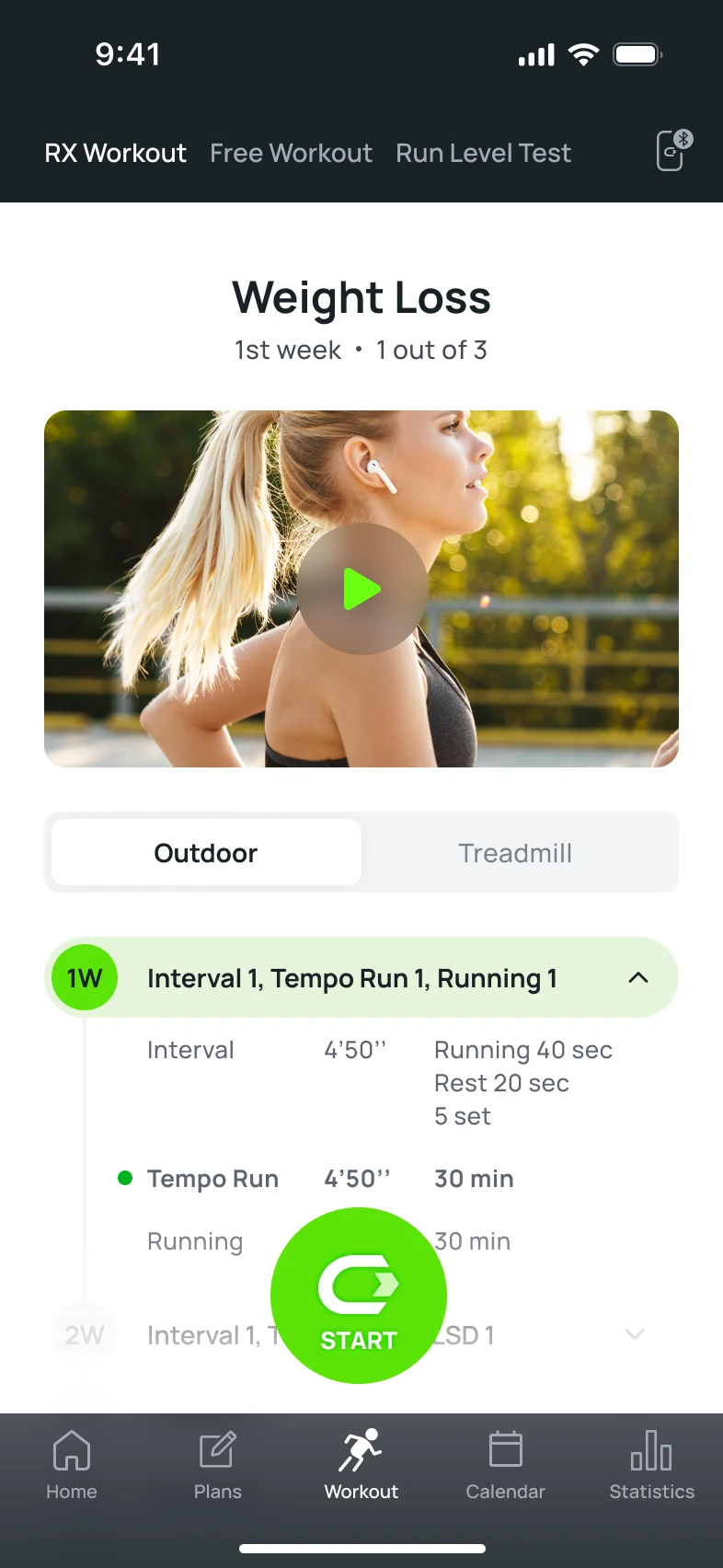
- 01A large video at the top
The video precedes the details of today’s session.
- 02Read through the weekly list
Read the list for workout types, duration, and repetitions.
Today’s session at a glance
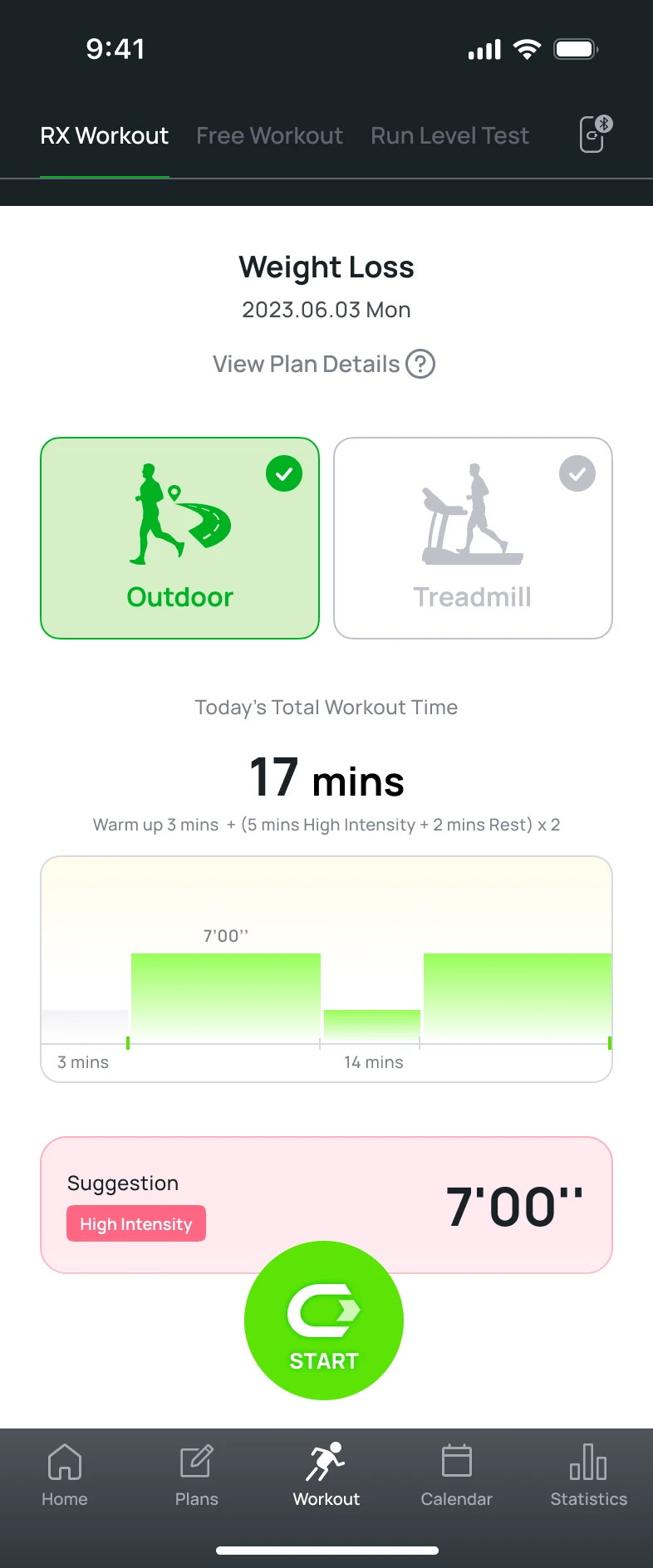
- 01Choose the running environment
Outdoor and treadmill choices move to the top.
- 02See duration and intensity together
Total time and an interval graph summarize the session.
- 03Check the suggested pace before starting
The suggested pace has its own visible area.
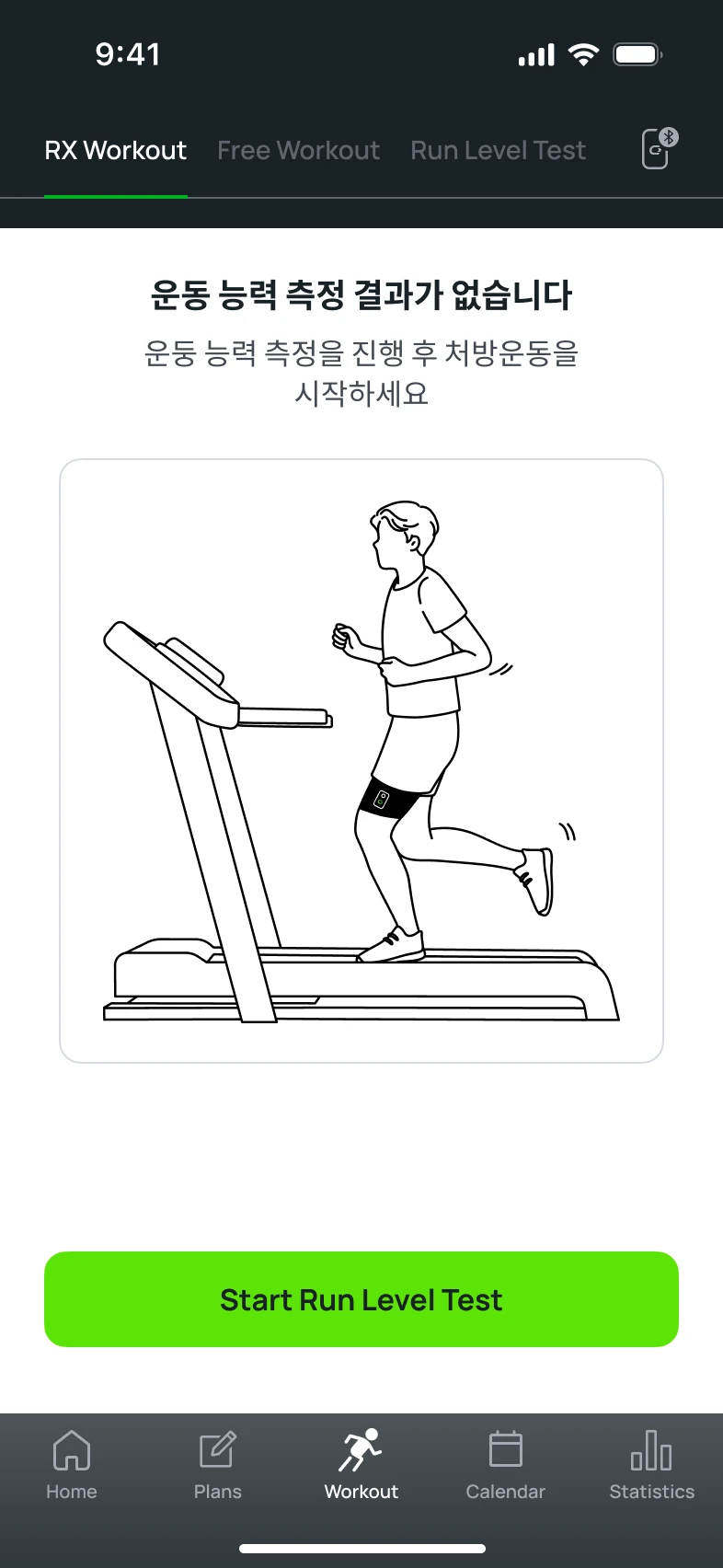
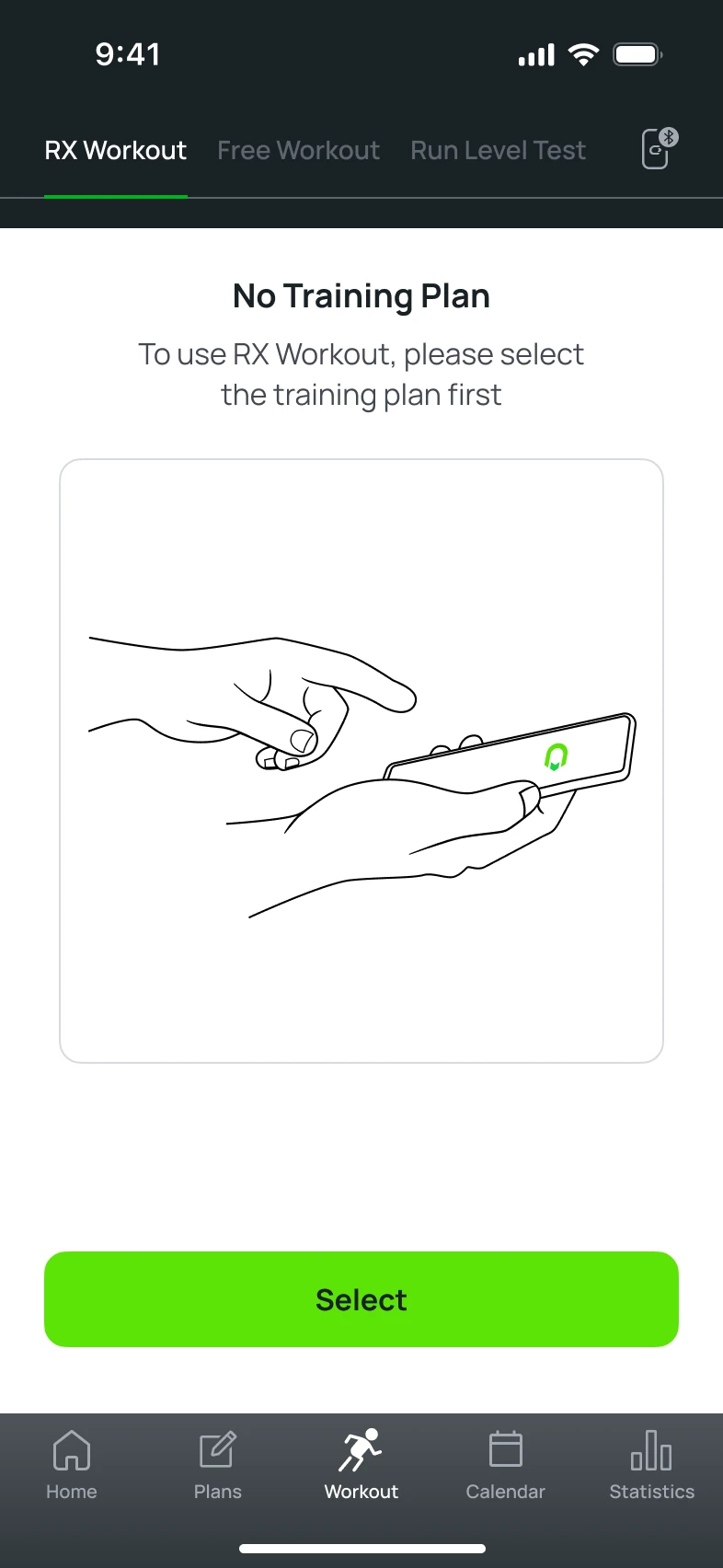
Without a test result or plan, start with the missing prerequisite
When a prescribed workout cannot start, the screen connects the reason to the next action: take a run-level test or choose a training plan.
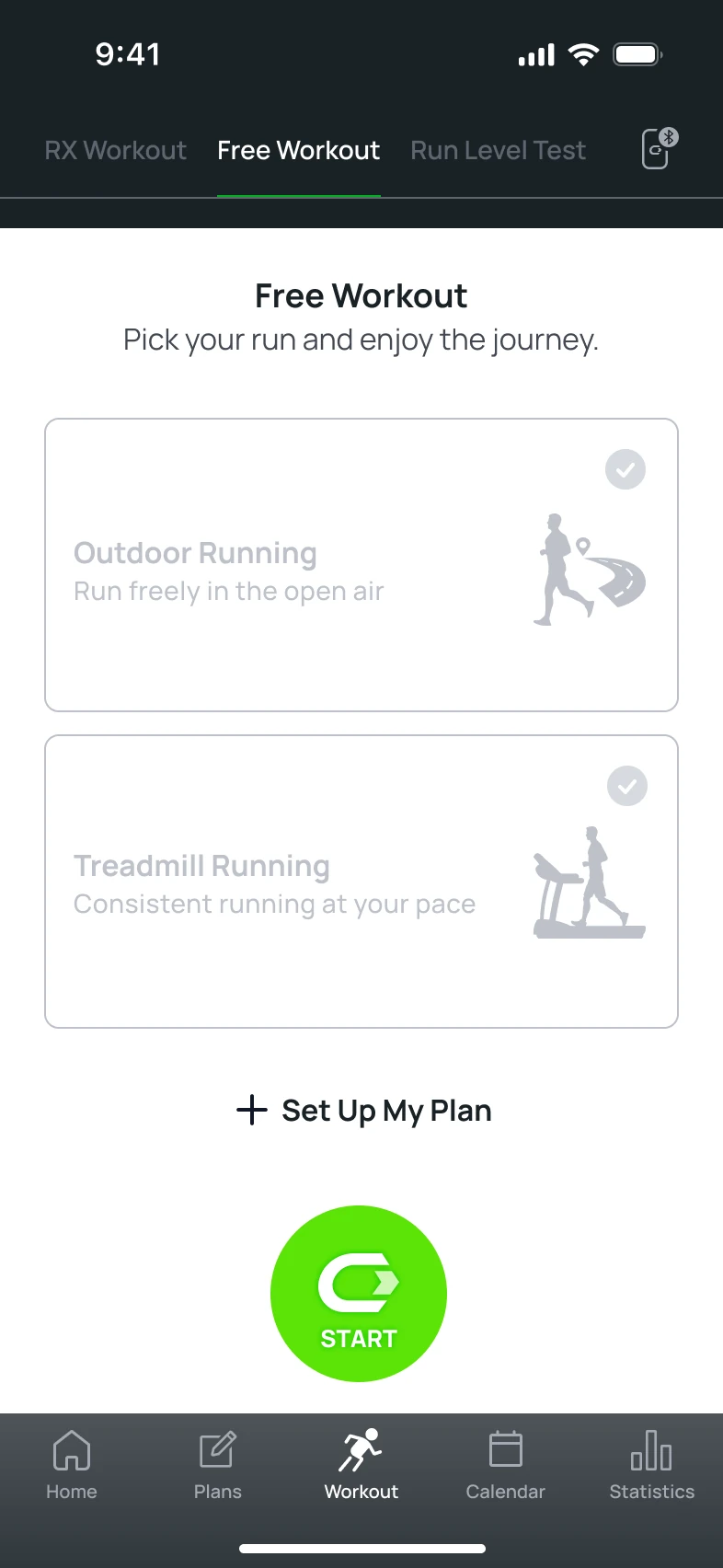
From prescribed training to a personal routine.
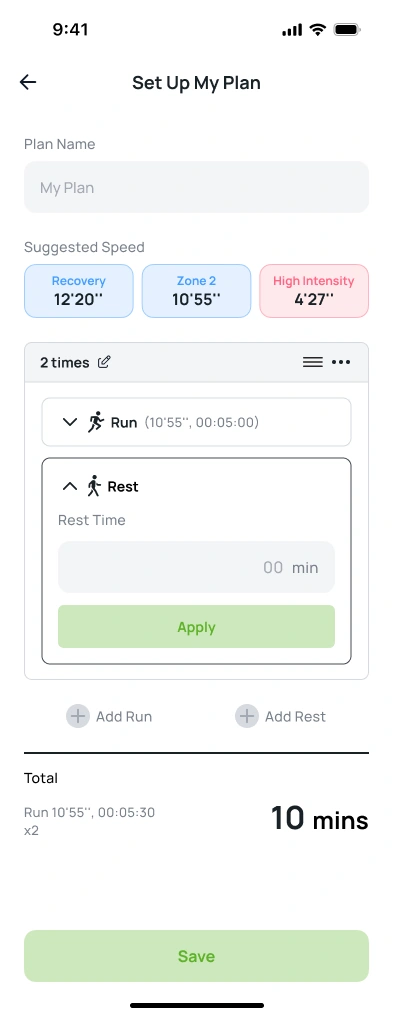
Free Workout adds a route from choosing outdoor or treadmill running to setting up a personal plan. Users can combine run and rest intervals, set repetitions, and review the total time.
Separate workout types and states to find the right record.
- BEFORE
- A legend of workout types and a dated list
- AFTER
- Type filters and distinct prescribed-workout states
Read the legend, then find a record
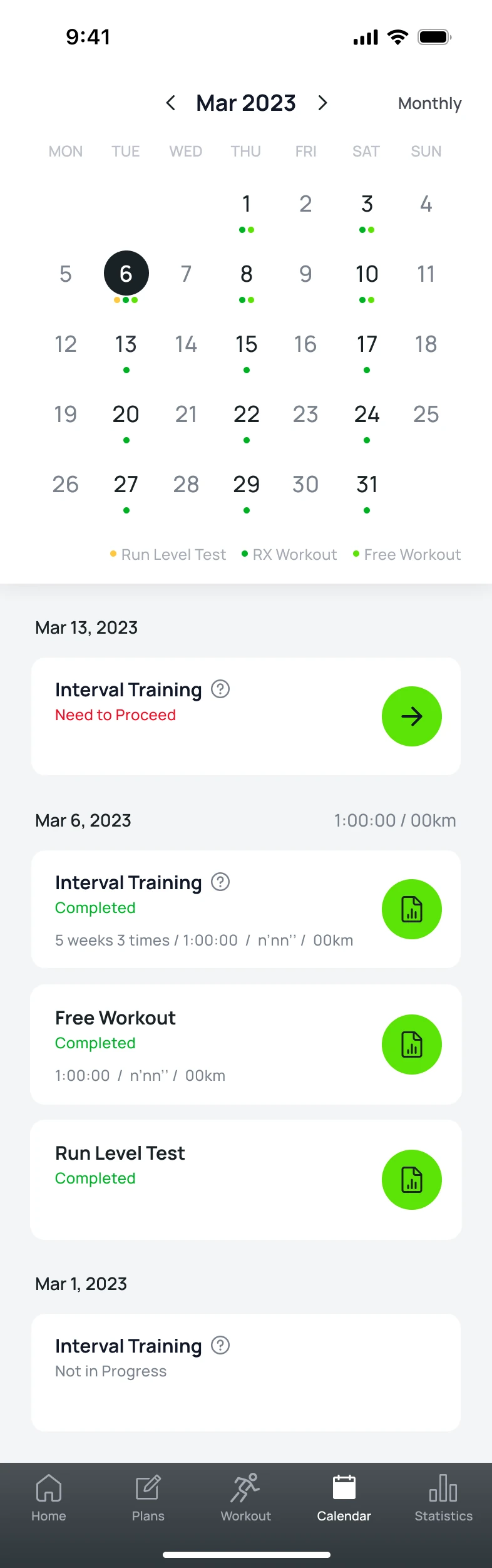
- 01A legend explains each color
Identify workout types by reading the legend and list.
Choose which workouts to view
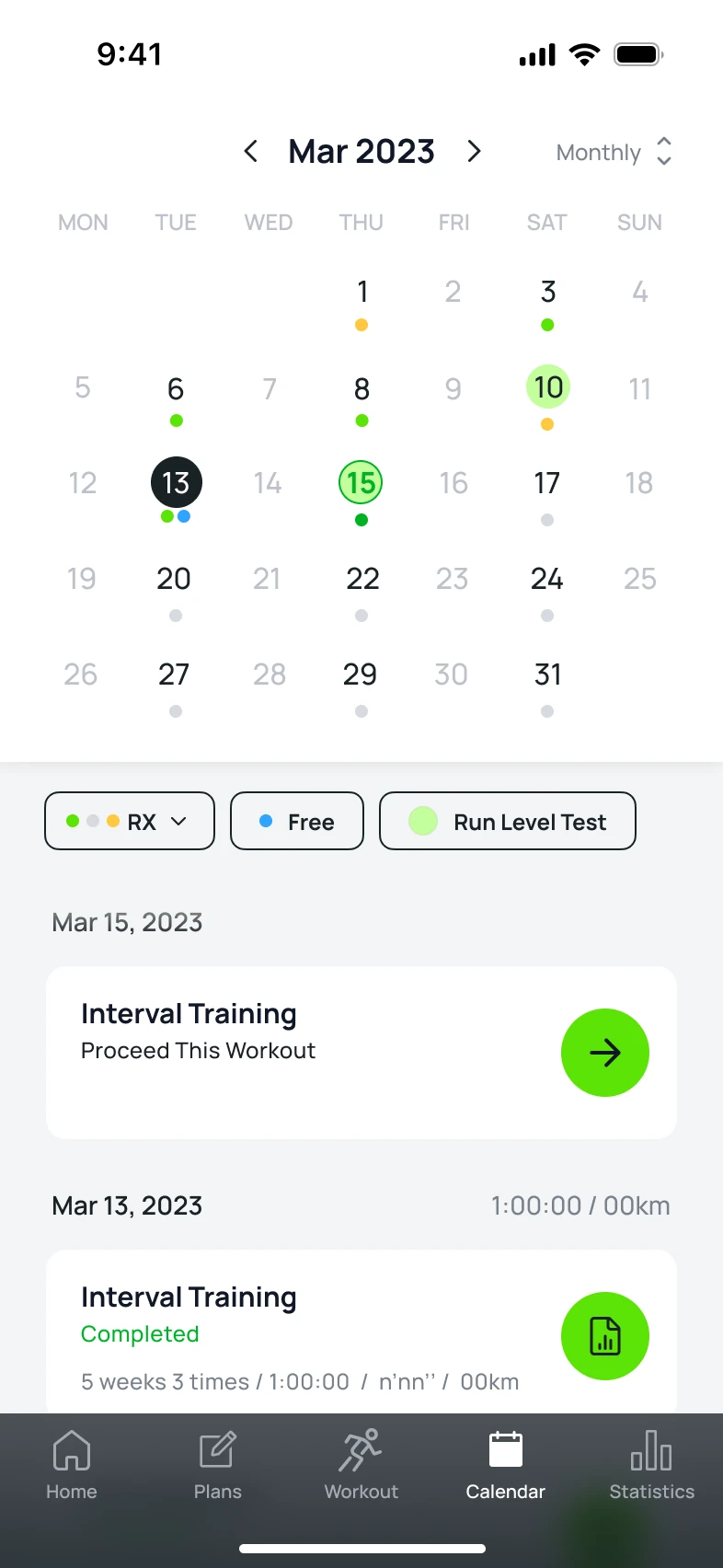
- 01Selectable workout-type filters
Narrow the records to RX, Free Workout, or Run Level Test.
Filter RX records by workout state
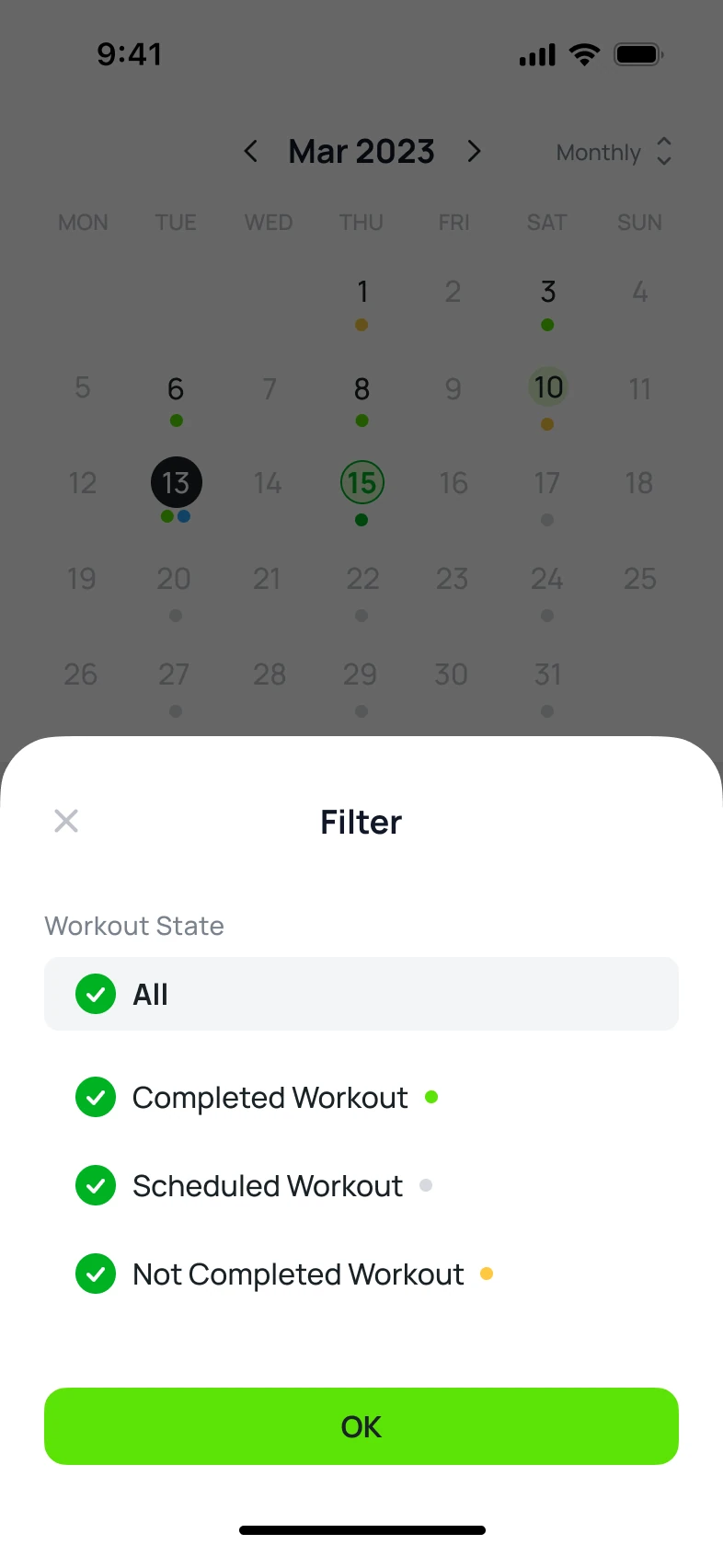
Choose completed, scheduled, or not-completed records
After choosing a workout type, RX records can be narrowed again by state. The flow expands from reading each record’s status to choosing which states to view.
INFORMATION ARCHITECTUREThe legend expands from explaining what a color means to helping users choose which workouts to see.
I connected hardware conditions to user actions.
I planned the scenarios and designed the UX/UI around device behavior and data transfer. The work defines the actions needed at each stage, from preparing for a run to managing its records.
- DEVICE AND SCENARIOS
- Controls linked to states
Double-click controls, calibration, recording, and standby brought into one flow
- TRANSFER AND EXCEPTIONS
- From record selection to correction and deletion warnings
Selective sync, missing time, short sessions, storage, and notification priorities
- WORKOUTS AND RECORDS
- The next action for each user
RX information hierarchy, prerequisite guidance, personal routines, and calendar filters
The end of a measurement was not the end of keeping the record.
Data stored on the device was only part of the experience. I carried the design through choosing a record, understanding the wait, correcting missing information, and being able to revisit the run.